
Guide directory · Updated
Find the Piso WiFi guide for your problem
Published by Piso WiFi Pause · How we check guides
Start with the symptom you can see. Use login help to reach the customer portal, troubleshooting to investigate a failed action, and the matching platform guide for software-specific rules. Only authorized owners should use the admin checklist.
Getting started
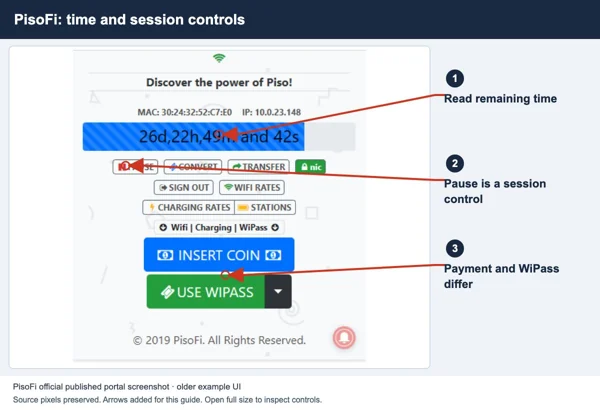
Piso WiFi pause and resume
Start with the general pause and resume steps.
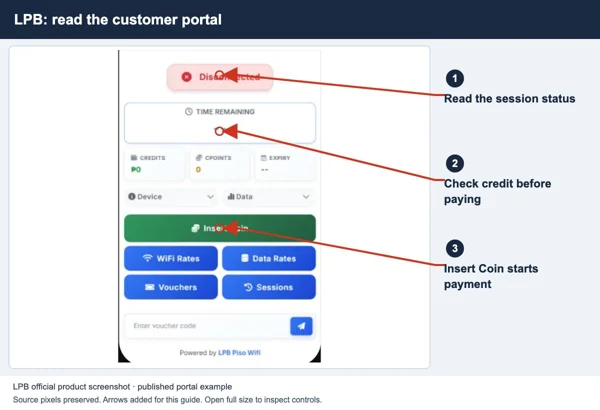
Piso WiFi login: open the customer portal
Connect to the correct Piso WiFi network, open its customer portal, pay or redeem a voucher and confirm that your session is active.
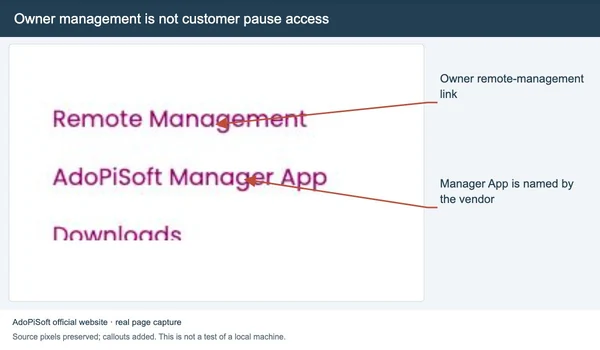
Piso WiFi app or browser?
Find the right customer portal and check whether an app is meant for customers or owners.
Troubleshooting
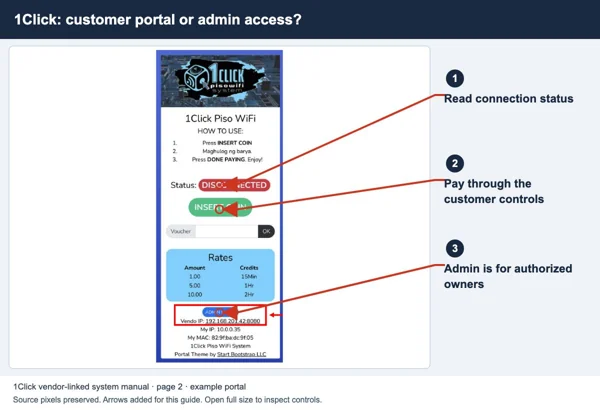
Portal will not open
Check your WiFi network and find its login address.
Pause button missing
Check your paid time and the operator’s pause rules.
Coins accepted, no time added
Check whether your payment added time to the session.
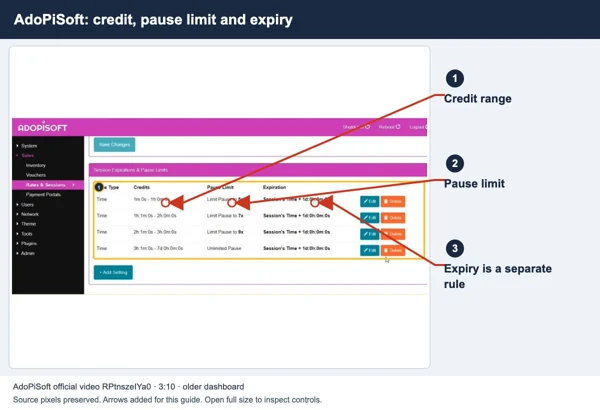
Session expired after pause
Check your remaining time and when it expires.
Piso WiFi connected but no internet
Connected to Piso WiFi but cannot browse? Check your paid time, data balance, device and the operator’s internet connection.
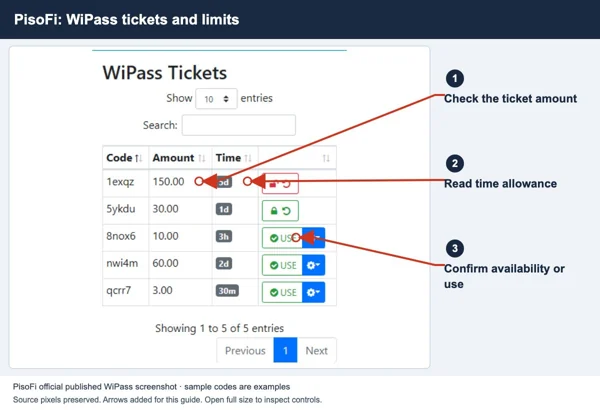
Piso WiFi voucher not working
Piso WiFi voucher not working? Check the network, code, time or data plan, and expiry before buying another voucher.
Piso WiFi keeps disconnecting
Find out why Piso WiFi keeps disconnecting. Check the WiFi signal, paid time and internet service before changing your settings.
Platform guides
LPB Piso WiFi
Portal, session and owner checks for LPB.
AdoPiSoft Piso WiFi
Time, data, voucher and owner settings.
PisoFi Piso WiFi: customer portal and owner checks
Open the PisoFi portal, check whether you can pause, and use a Wipass voucher. Find out which settings only the owner can change.
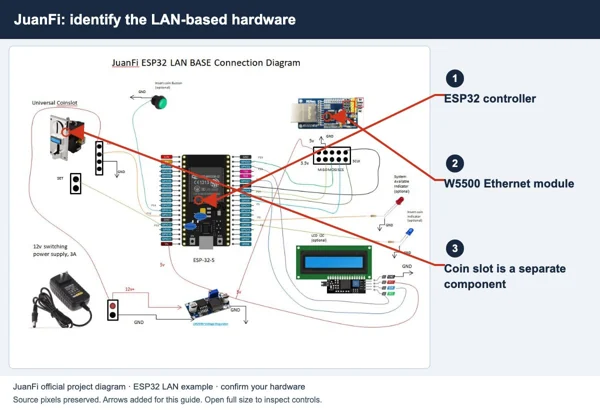
JuanFi Piso WiFi: portal, MikroTik and pause checks
Find the JuanFi login page and check pause and voucher rules. Learn how its MikroTik setup affects the options on your machine.
1Click Piso WiFi: portal and pause-rule checks
Open the 1Click Piso WiFi portal and check pause and auto-resume rules in the vendor-linked manual.
For owners
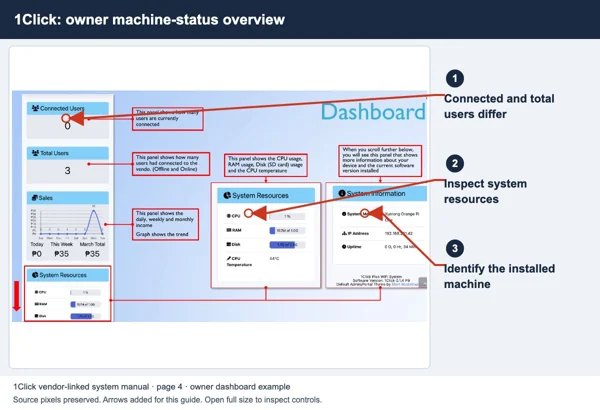
Piso WiFi admin access for authorized owners
Find the right Piso WiFi admin page, ask your supplier for login help, and check settings without interrupting customers.
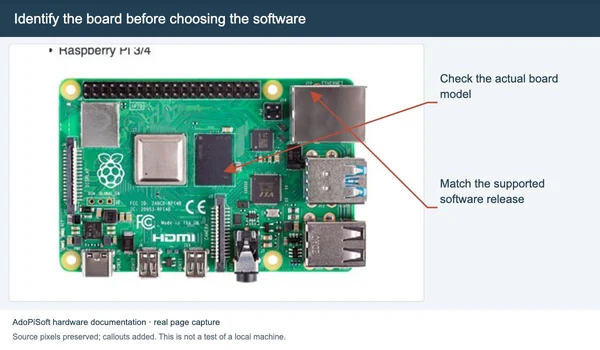
Piso WiFi vendo: parts, buying and setup
Check the machine parts, what a seller includes, and a complete customer test before opening.
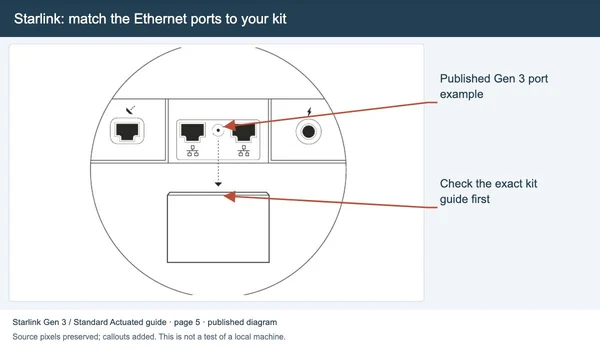
Starlink Piso WiFi setup checks
Match the Starlink kit, internet connection and customer portal before selling access.
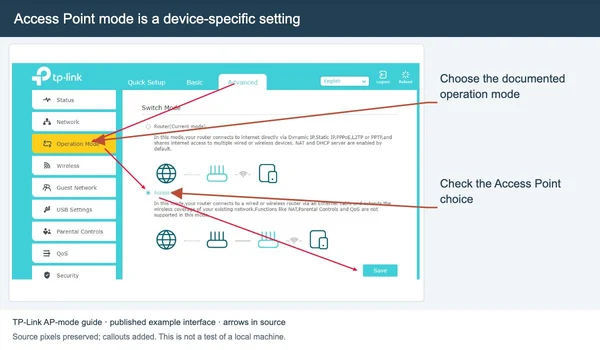
Extend Piso WiFi coverage
Plan an access point or repeater and test paid sessions in the added coverage area.
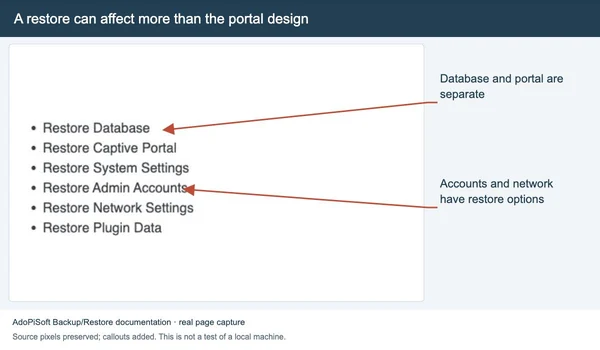
Piso WiFi reset and account recovery
Choose restart, account recovery or a documented reset after checking the actual device and backup.
Sources and limits
Guide updated on 12 November 2026. This independent guide uses published platform documentation. We have not tested your local machine or every software version. Images marked as examples are illustrations. Captured screenshots show the source listed in the caption.
Found a website error? Send a correction to the publisher. For paid time or machine access, contact the local operator.