
Practical owner and customer guides · Updated
Reset Piso WiFi: choose the recovery step your machine needs
Published by Piso WiFi Pause · How we check guides
Do not factory reset a vendo just because the portal will not open or a password fails. First identify the device and the fault. A restart, account recovery and factory reset are different actions. The right procedure comes from the vendor or installer for your exact setup.
What do you mean by reset?
| Problem | Start here |
|---|---|
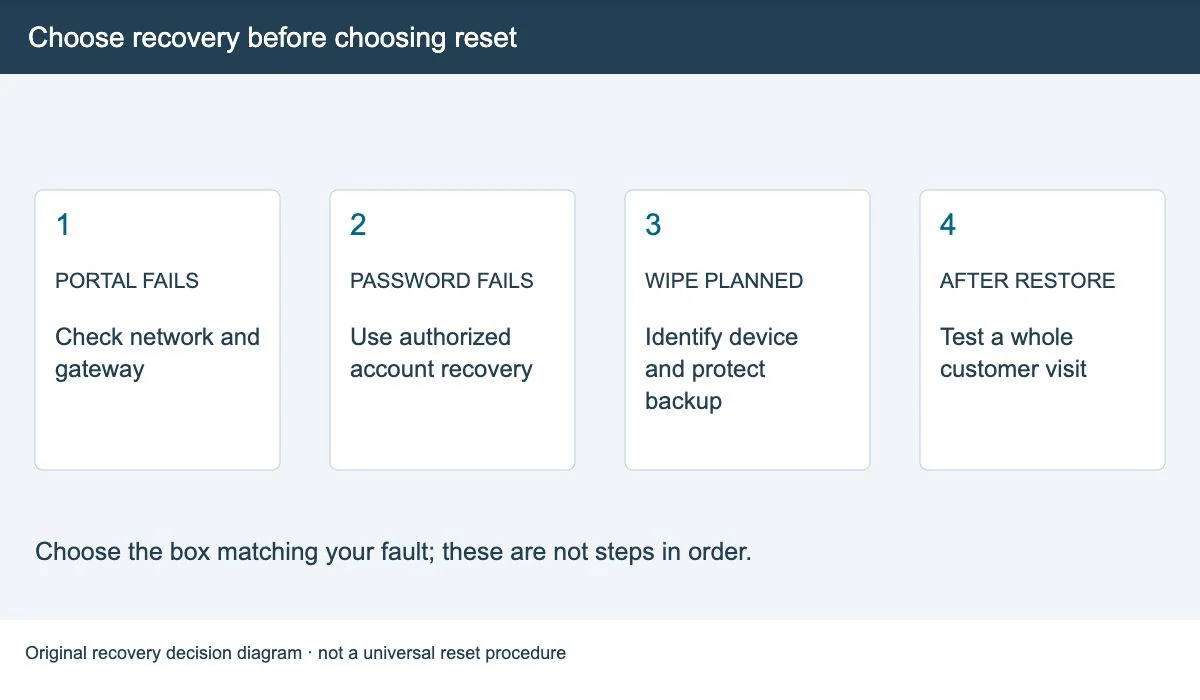
| The customer portal does not open | Check the connected network and actual gateway first. |
| The owner password is rejected | Confirm the right admin interface, then ask for the supported account-recovery process. |
| The machine or connection is stuck | Record the fault; use a supported restart only after checking who it will interrupt. |
| You need to erase and rebuild a configuration | Plan a model-specific factory reset or reinstall with backup and recovery steps. |
A customer cannot fix an owner password or recover paid time by resetting the machine. Use portal-not-opening help or expired-session checks for those problems.
Find out which device you would reset
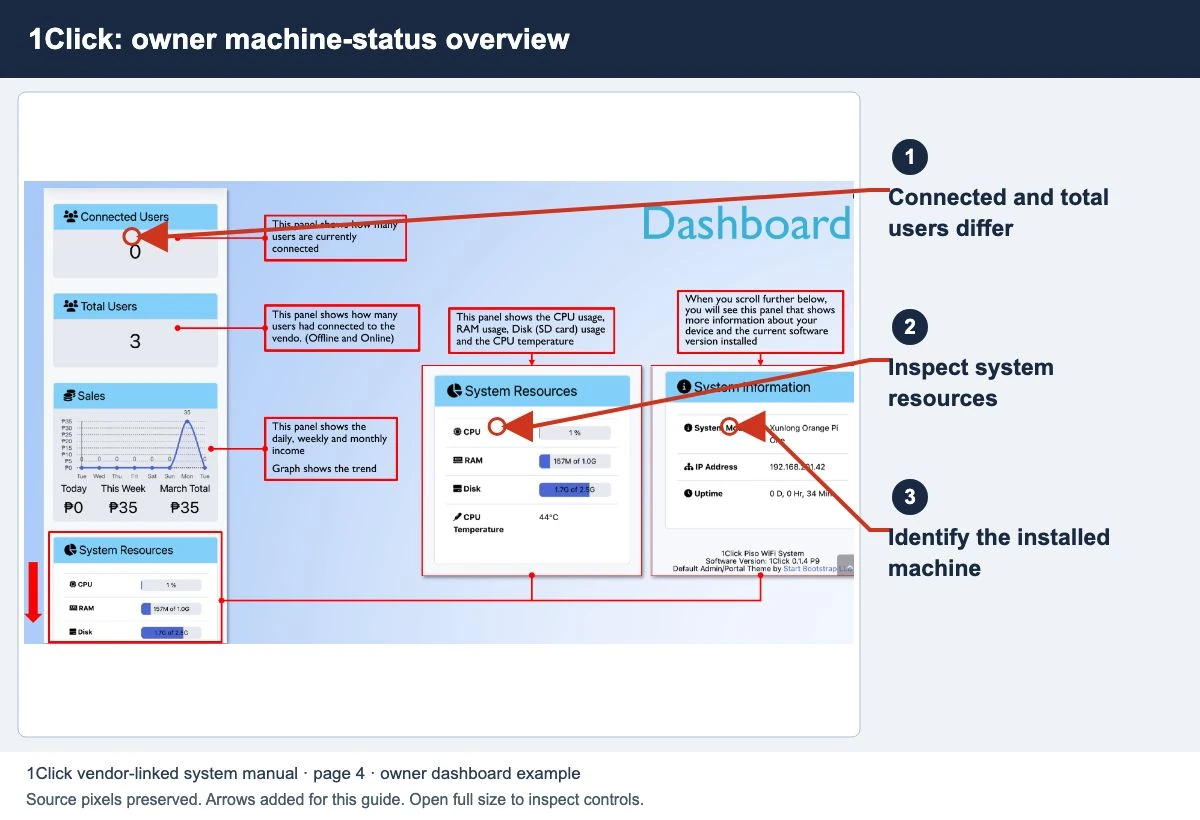
A vendo can contain a billing controller, a router and an access point. Resetting one does not necessarily reset the others. Record the model labels, installed software version and which device has the fault.
A button on an access point is not a universal LPB or AdoPiSoft recovery button. Do not use a hold time copied from a different router. If you cannot identify the part, send the installer a photo of the model label without exposing passwords or private account details.
If only the admin password fails
- Confirm that you opened the correct owner interface, not the customer portal or a different device’s login.
- Check the original handover details and who owns the admin account.
- Ask the authorized vendor or installer for the recovery process for that version and the proof of ownership they need.
- Keep a working customer network online while you arrange recovery, if the provider says this is supported.
We do not publish a password that works on every machine. See the owner admin-access guide for the checks before recovery.
Check what your backup actually saves
Before a planned wipe, record the software version, network layout, rates, payment setup and recovery contact. Use the platform’s supported backup tool when available, and keep the file somewhere other than the device you may erase. Protect it because it can contain account and customer information.
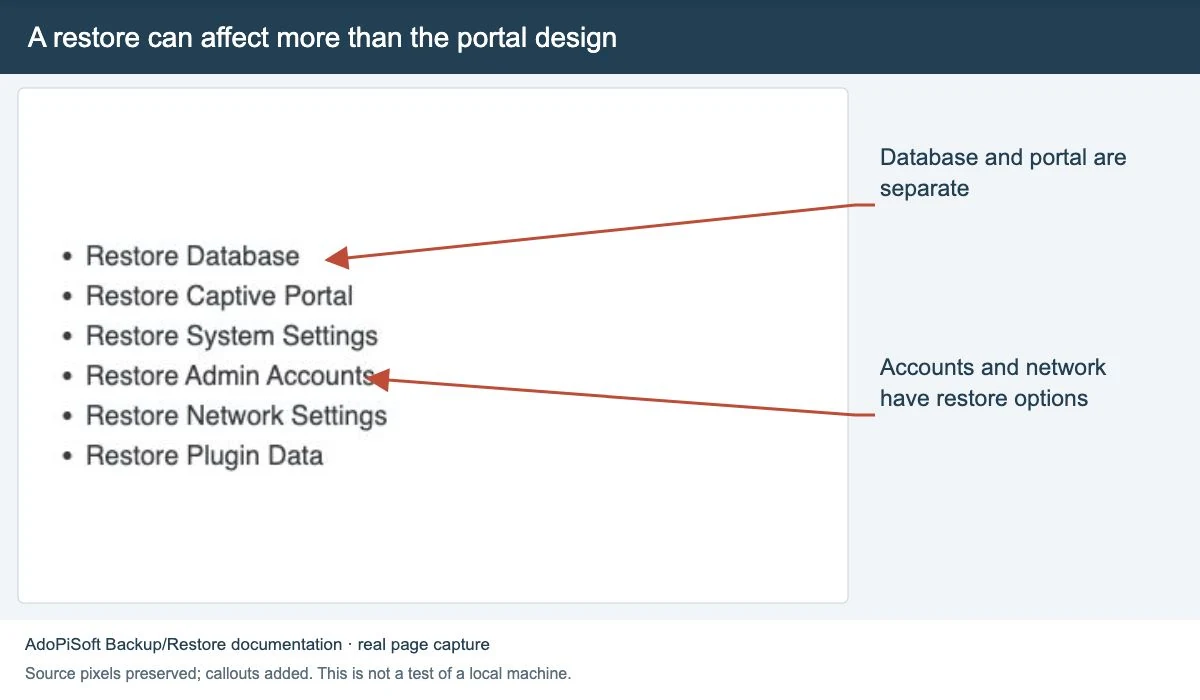
AdoPiSoft documents separate backup choices for the database, portal and system settings. A portal-only backup is not the same as saving customer or voucher records. Check the choices in your installed version and ask what is compatible with the restore target.
If access is already lost and no backup exists, ask the supplier what can still be recovered. A photo of a dashboard is useful as a note, but it is not a full system backup.
Follow a matching recovery procedure
This guide does not replace the reset instructions for a specific board or firmware. Ask the supplier to confirm these points before you agree to a factory reset or reflash:
- Which exact device or storage will be changed?
- What happens to configuration, active sessions, vouchers, sales records and the license?
- Which supported image, backup and account are needed to restore service?
- How will you reach the management page after its address or network settings change?
- How will existing customers be informed and their service or credit checked afterward?
If the vendor cannot supply a matching procedure, stop before the destructive step and arrange support. Guessing a reset sequence can turn a login problem into a larger outage.
Test the machine before selling time again
- Confirm owner access and the expected network addresses.
- Check the restored rates, vouchers, payment methods and session rules.
- Run a complete customer test: connect, pay, browse, pause if offered and reach the session end.
- Compare the result with your recovery notes. Ask the supplier about any missing record before promising recovery to a customer.
Use the LPB checks or AdoPiSoft checks for platform context. Customers can return to the main pause and resume steps after service is restored.
Quick questions
Will a reset recover my missing minutes?
Do not assume it will. Only the operator can check the local payment and session records. Resetting may make those checks harder.
Is changing a WiFi password a factory reset?
No. It is a different change. Use the correct device’s documented settings and plan for customers to reconnect when needed.
Screens to help you check the right thing
Real source screenshots and project diagrams, with arrows added for this guide. Interface values are preserved. These are labelled examples, not a test of your local machine. Open an image full size to inspect its controls.
Sources and limits
Guide updated on 12 November 2026. This independent guide uses published platform documentation. We have not tested your local machine or every software version. Images marked as examples are illustrations. Captured screenshots show the source listed in the caption.
Found a website error? Send a correction to the publisher. For paid time or machine access, contact the local operator.