
Platform guide · Updated
JuanFi Piso WiFi: portal, MikroTik and pause checks
Published by Piso WiFi Pause · How we check guides
JuanFi is a coin-slot integration for a MikroTik Hotspot, not a universal replacement for the router’s management interface. Customers should use the local hotspot portal supplied by the operator. Owners need to distinguish the customer portal, the JuanFi controller and the MikroTik configuration before changing anything.
The customer login and owner admin guide explains the two types of access. Use the JuanFi steps below for your own setup.
Three interfaces with different jobs
| Interface | Purpose |
|---|---|
| Customer Hotspot portal | Customer payment, voucher entry and available session controls. |
| JuanFi controller | Authorized configuration of the coin-slot integration and related settings. |
| MikroTik management | Authorized router and Hotspot configuration. |
The project README identifies MikroTik integration and controller configuration as parts of the system. One address or password copied from a generic article does not identify the correct interface for your installation.
Connect and confirm your session
- Connect to the exact vendo network supplied by the operator.
- Open its customer portal. If it does not appear automatically, ask for the gateway or use the portal access guide.
- Read the posted rate and payment instructions. Wait for the displayed payment process to finish.
- Check that the amount or voucher produced credit, then read whether the session is active or paused.
If credit appears but websites will not load, use connected but no internet. If no credit appeared at all, ask the operator to check the payment record before buying more time.
Check the release and portal template
The project README lists pause expiration. The v3.3 release notes mention pause with remaining time and voucher auto-resume. These are documented release details, not a guarantee that an older or customized installation behaves identically.
A blanket claim that every JuanFi machine has the same Pause button or requires the same custom script is insufficient. Ask the operator which firmware and Hotspot template are installed and which rules apply to your session.
If Pause exists, wait for confirmation and note the balance and validity. Do not test an unknown rule by leaving paid time unattended. For a missing control, use the Pause checks; for ended credit, read the expiry explanation.
What an authorized owner should verify
Record the controller model, installed JuanFi release, RouterOS version and current portal template. Keep a recoverable configuration backup using the official instructions before configuration work.
- Determine whether the problem concerns coin registration, the controller-to-router connection or the customer portal.
- Compare the customer’s credit with the relevant payment and session records.
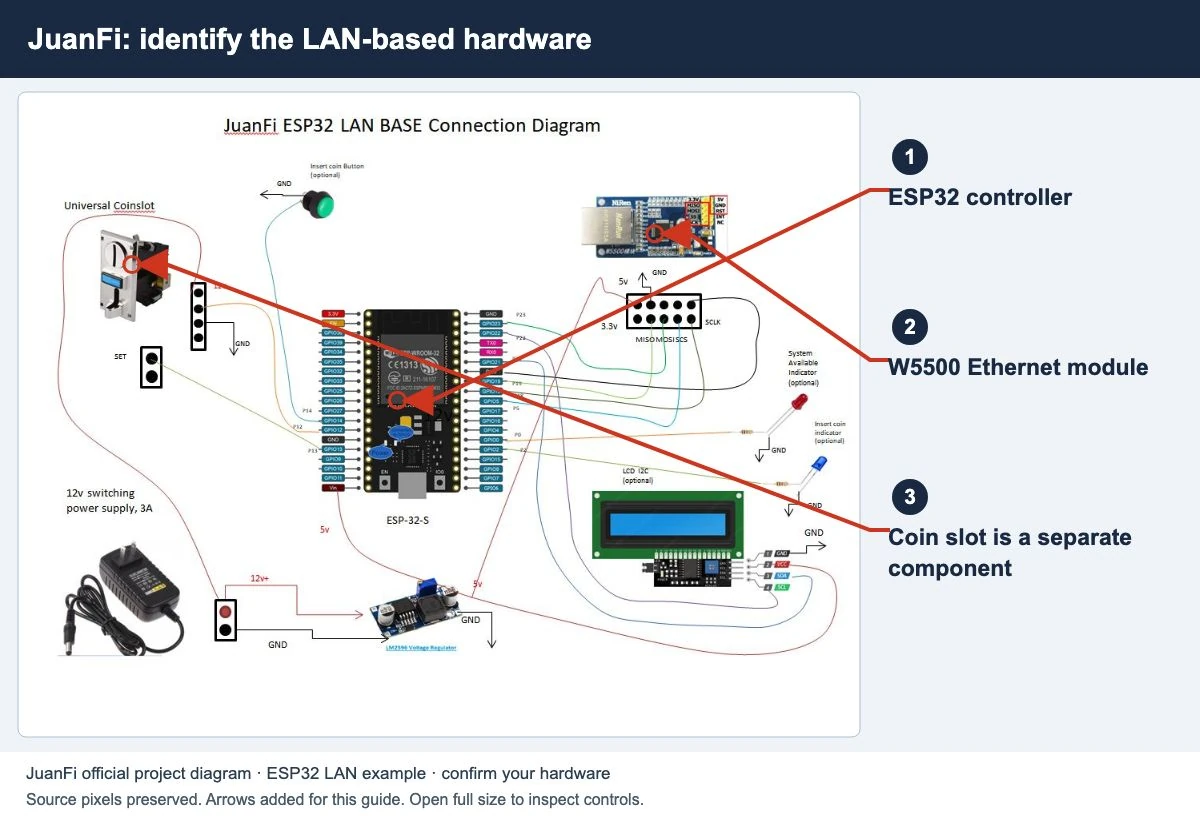
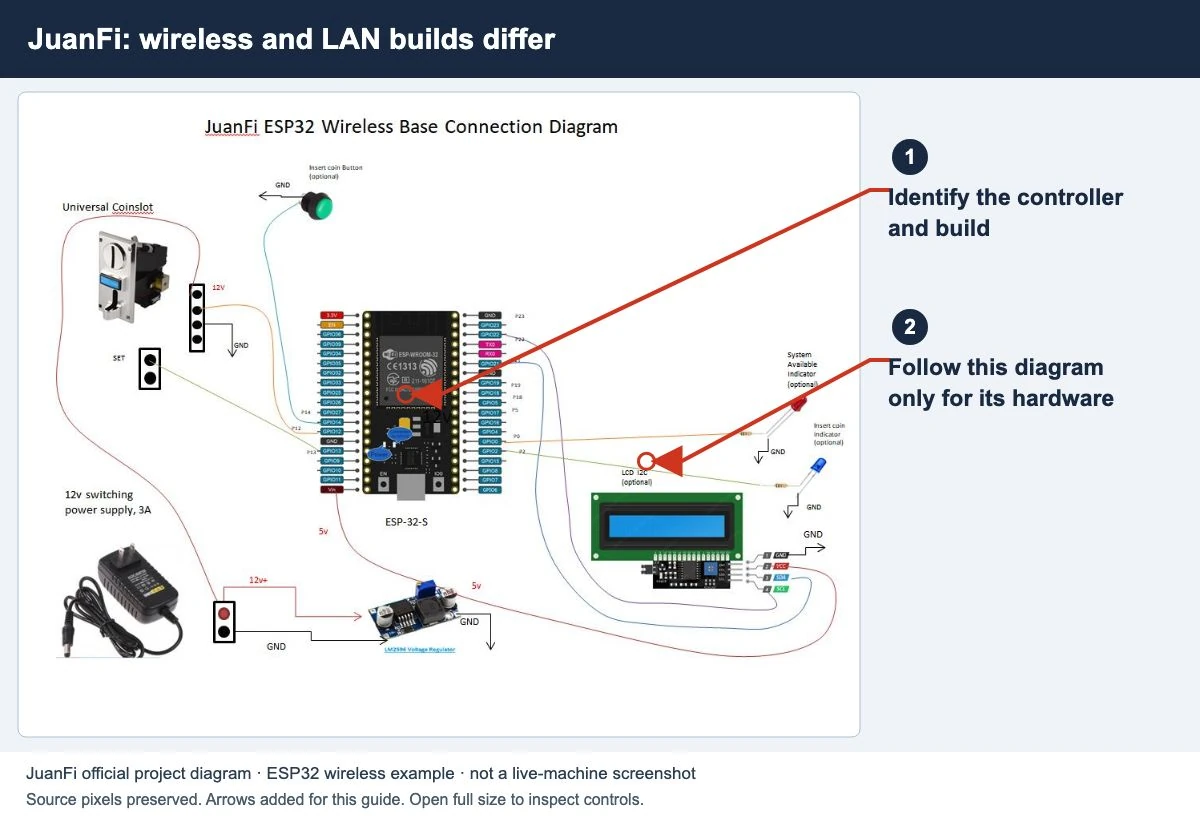
- Use the project documentation for the hardware variant. Wireless and LAN-based builds have different requirements.
- Check the release notes before treating a feature from another installation as available locally.
- After a documented fix, test an ordinary customer session from payment through the available pause/resume controls.
This guide does not provide a universal flashing recipe, configuration script or default password. Installing a binary intended for different hardware is not a diagnostic step.
Common questions
Is JuanFi Manager a customer pause app?
The project links a manager app, but its existence does not establish that customers should install it. Use the portal and instructions supplied by the operator.
Can I use the same credit on another machine?
Ask the operator about the configured scope and supported recovery. A shared JuanFi name does not establish shared credit.
Does a public project mean my local internet is free?
No. Software licensing and the operator’s charge for internet access are separate matters.
Screens to help you check the right thing
Real source screenshots and project diagrams, with arrows added for this guide. Interface values are preserved. These are labelled examples, not a test of your local machine. Open an image full size to inspect its controls.
Sources and limits
Guide updated on 11 November 2026. This independent guide uses published platform documentation. We have not tested your local machine or every software version. Images marked as examples are illustrations. Captured screenshots show the source listed in the caption.
Found a website error? Send a correction to the publisher. For paid time or machine access, contact the local operator.